Spinit login – how to sign in to your account
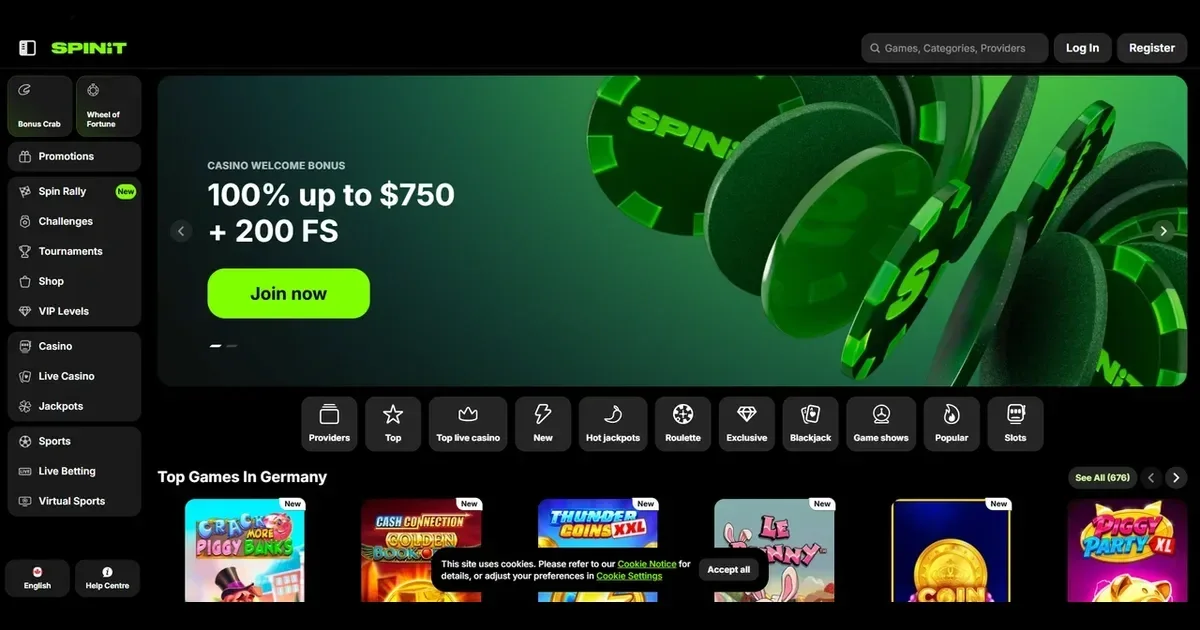
















Your account lives at Spinit, and only the operator can restore, unblock or verify it. This page walks through the sign-in route, what to do when it fails, and where to get help.
The sign-in route
To reach your account:
- Open the Spinit site in your browser.
- Locate and select the sign-in button.
- Enter the email address and password you chose at registration.
- Confirm to access your account.
If you do not yet have an account, registration happens at the operator too.
Why login is refused
Sign-in fails for a handful of reasons:
- Wrong credentials – the email or password does not match the one you registered with. Check for typos and caps lock.
- Unverified account – some operators require you to confirm your email before the first login. Check your inbox for a verification link.
- Browser session problem – clear cookies and cache, or try a different browser or device.
- Self-exclusion in force – if you activated a break, the account stays closed until the period ends. See the responsible gambling section below.
- Restricted location – residents of certain countries cannot access the site. Afghanistan, Armenia, Belarus, Belgium, Bulgaria, China, Curaçao, Cyprus, Denmark, Estonia, Georgia, Iran, Iraq, Israel, Lithuania, Malta, the Republic of Moldova, Romania, Russia, North Korea, Netherlands, Netherlands Antilles, Sweden, Ukraine (including the territory of Crimea), United Kingdom, United States of America and Cote d'Ivoire are blocked.
If none of these apply, the operator's support team can check your account status.
Signing in from a phone
The Spinit site runs in a mobile browser with the same account and password you use on desktop. Open the site, find the sign-in button, and enter your credentials. The layout adjusts, but the process stays identical.
Resetting a password the safe way
When you have forgotten your password, use the operator's own reset route. Look for a "Forgot password?" or similar link on the sign-in screen, enter the email you registered with, and the operator sends a reset link to that address. Follow the link to set a new password.
If the email address you used at registration is no longer reachable, contact the operator's support directly. You will need to verify your identity with documents before they can update the address on file.
Holds, checks and self-exclusion
Accounts are restricted for several reasons:
| Cause | What happens |
|---|---|
| Verification required | Access is limited until you provide ID, proof of address, and payment method ownership. Documents must be submitted within 30 days of the request. Verification usually completes within 10 days. |
| Self-exclusion active | The account is closed for the period you chose. Early reinstatement is not available – the block runs its course. |
| Inactivity over 180 days | A dormant account fee of 5 EUR per month applies. Sign in to stop the charge. |
Support channels
Account problems go to the operator's own support team. You can reach them at [email protected] or through the 24/7 live chat.
Before you write in, have this ready:
- The email address on the account
- When the problem started
- The exact message you see on screen
A complete first message saves a round of back-and-forth.
Keeping access safe
Sign in only on the operator's own address – typed or bookmarked, never through a link in an email or a message. Use a password you have not used anywhere else. On a shared device, sign out when you are done.
Responsible gambling
Gambling should be entertainment, not a chore. If it ever stops feeling that way, free and confidential support is available at BeGambleAware and through the National Gambling Helpline on 0808 8020 133 (24/7). Self-exclusion can be requested by emailing [email protected]. You must be 18+ to use this site.
This site is for players aged 18 and over (18+). If gambling ever stops feeling like entertainment, free and confidential help is available at BeGambleAware.org.
Frequently asked questions
Can I sign in to Spinit from my phone?
Yes. The site runs in a mobile browser with the same account and password you use on desktop. Open the site, select the sign-in button, and enter your credentials.
What do I do if I have forgotten my Spinit password?
Use the "Forgot password?" link on the sign-in screen, enter the email you registered with, and the operator sends a reset link to that address. If the email is no longer reachable, contact [email protected] with ID documents to update the address on file.
Why does Spinit refuse my login?
Common causes are wrong credentials, an unverified account, a browser session problem, or a self-exclusion in force. Check your email for typos, clear cookies, or contact support at [email protected] if the problem persists.
How long does account verification take at Spinit?
Verification usually completes within 10 days after you submit the requested documents. You must provide ID, proof of address, and payment method ownership within 30 days of the request.
Game Providers