Spinit Mobile – What Works on Your Phone
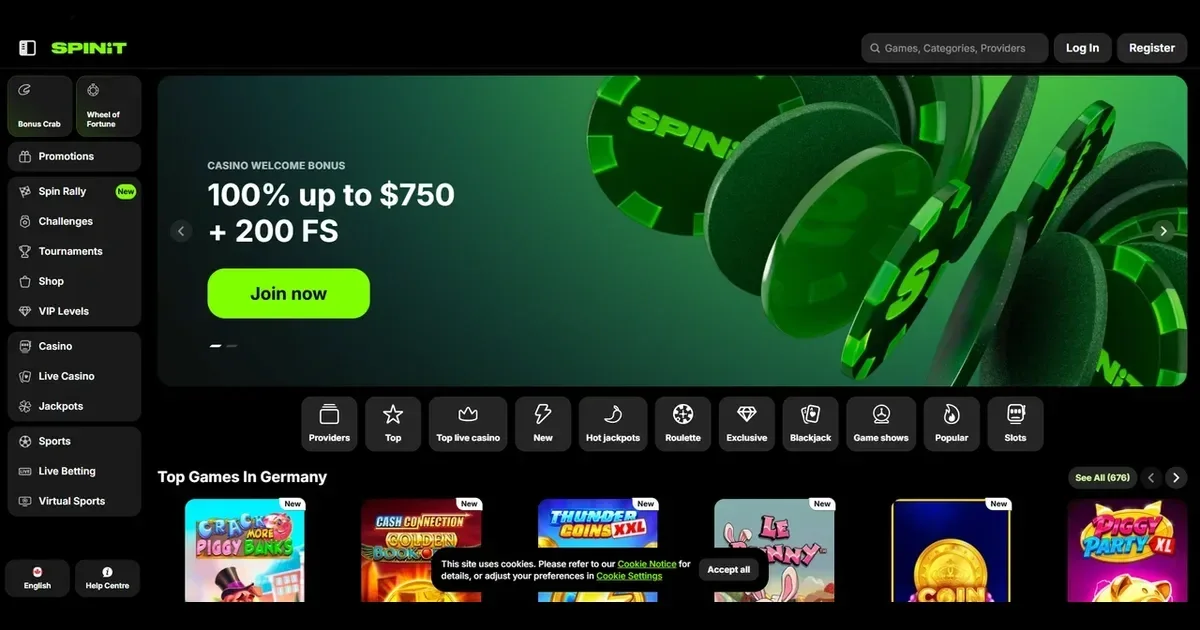
















Spinit runs in mobile browsers without requiring a download. You use the same account on your phone as you do on a desktop, and the site adapts its layout to fit a smaller screen. What follows is what actually works on mobile, where the experience falls short, and what to check before you play from a device you always carry.
What gets cramped on a small screen
Some parts of the site do not translate well to a phone. Live dealer tables show less of the action at once, and chat windows can cover part of the game area. The account menu and the promotions list both require more scrolling than they do on a desktop. If you need to upload verification documents from your phone, the file picker and the camera interface add an extra step compared with selecting files from a desktop folder.
Sports betting markets are harder to compare side by side on a narrow screen. The game library filters work, but previewing several titles at once means more taps. These are not failures — they are trade-offs that come with the form factor.
Before you play on mobile
A few practical checks save trouble later. Use a secure connection — public Wi-Fi at a café or an airport is not the place to log in to your account or approve a withdrawal. Make sure you are on the real domain and not a phishing copy; bookmark the correct address rather than following a link from a search result or an email.
Sign out when you finish, especially on a device someone else might pick up. Set deposit limits before your session starts, not during it — impulse decisions on a phone are easier to make than they are to reverse. If the operator's responsible gambling tools include session reminders or loss limits, turn them on from the account settings.
Battery life and data usage matter on longer sessions. Live games and high-definition slots drain power faster than static tables. A dying battery in the middle of a withdrawal request or a bonus wagering session is an avoidable problem.
How to reach the site from a phone
Open your phone's browser — Safari, Chrome, Firefox or Edge — and type the operator's address into the bar. The site detects your screen size and serves a mobile-friendly layout without requiring a separate app. You log in with the same username and password you use on a desktop; there is no second registration.
- Navigate to the operator's domain in your mobile browser.
- Tap the login button at the top of the screen.
- Enter your existing account credentials.
- The game library, cashier and account settings load in a format optimised for touch.
If you have not registered yet, the sign-up form works the same way on mobile as it does on a desktop. The fields are larger on a phone screen to accommodate touch input, but the information asked for is identical.
What you can actually do from a phone
The mobile site supports most of what the desktop version offers. You can browse the game library, open slots and live tables, and place bets on sports markets. The cashier works from a phone — deposits and withdrawal requests go through the same interface, and you see the same payment methods.
| Feature | Available on mobile |
|---|---|
| Game library | Yes |
| Live dealer tables | Yes |
| Sports betting | Yes |
| Deposits | Yes |
| Withdrawals | Yes |
| Document upload | Yes |
| Live chat | Yes |
| Promotions | Yes |
Support is available through live chat from your phone; the chat window opens over the game you are playing rather than in a separate tab. Email support works as it does anywhere else. If verification is required, you can upload documents from your phone's camera or photo library — the operator accepts the same ID and proof-of-address files on mobile as on desktop.
The promotions page lists active offers, and you can opt in to bonuses from your phone. Wagering requirements, maximum stakes and game contributions apply the same way they do on a desktop — the platform does not relax the terms because you are on a smaller screen.
Staying in control when the device is always with you
A phone makes it easier to play anywhere, which is why the responsible gambling tools matter more on mobile than they do on a desktop. Set your deposit limits from the account settings before you start, not during a session. The operator offers self-exclusion by emailing [email protected]; if you need to take a break, send that request from a device you will still have access to when the exclusion period ends.
If gambling starts feeling like more than entertainment, free and confidential support is available from GamCare at 0808 8020 133, BeGambleAware, and GamStop for national self-exclusion. Blocking software such as Gamban and BetBlocker works on phones as well as desktops.
This site is for players aged 18 and over (18+). If gambling stops being enjoyable, help is free and confidential at BeGambleAware.org.
Frequently asked questions
Can I play Spinit games on my phone without downloading anything?
Yes. The site runs in your phone's browser without requiring an app. You log in with your existing account and the layout adapts to your screen size.
Does the mobile site support deposits and withdrawals?
Yes. The cashier works from a phone, and you see the same payment methods and limits as on a desktop. Withdrawal requests are processed on the same schedule.
Are live dealer games available on mobile?
Yes. Live tables load in the mobile browser, though the viewing area is smaller and chat windows can cover part of the action on a phone screen.
How do I upload verification documents from my phone?
The site accepts uploads from your phone's camera or photo library. The operator asks for the same documents — ID and proof of address — whether you submit them from a phone or a desktop.
Game Providers